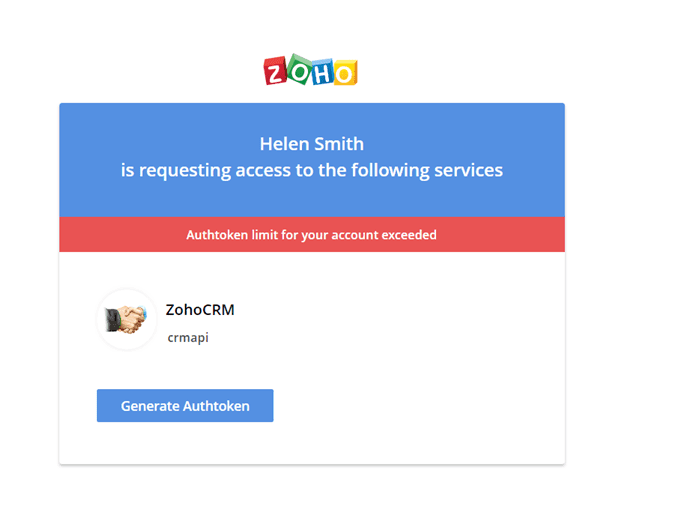
Для кожного облікового запису Zoho встановлено обмеження на кількість генерованих токенів. Якщо ви досягли цього обмеження, видаліть один із раніше згенерованих токенів і згенеруйте новий.Тут ви можете переглянути інформацію про всі свої токени та видалити будь-який із них. Якщо ви видалите токен, програмне забезпечення або сервіс, що використовує цей токен, перестане працювати.
Ви можете створити кілька токенів і присвоїти кожному з них «ім’я». Це дозволяє відстежувати статистику використання запитів для зовнішніх додатків, які використовують ці токени.
Назва токена вказана у файлі « URL »:
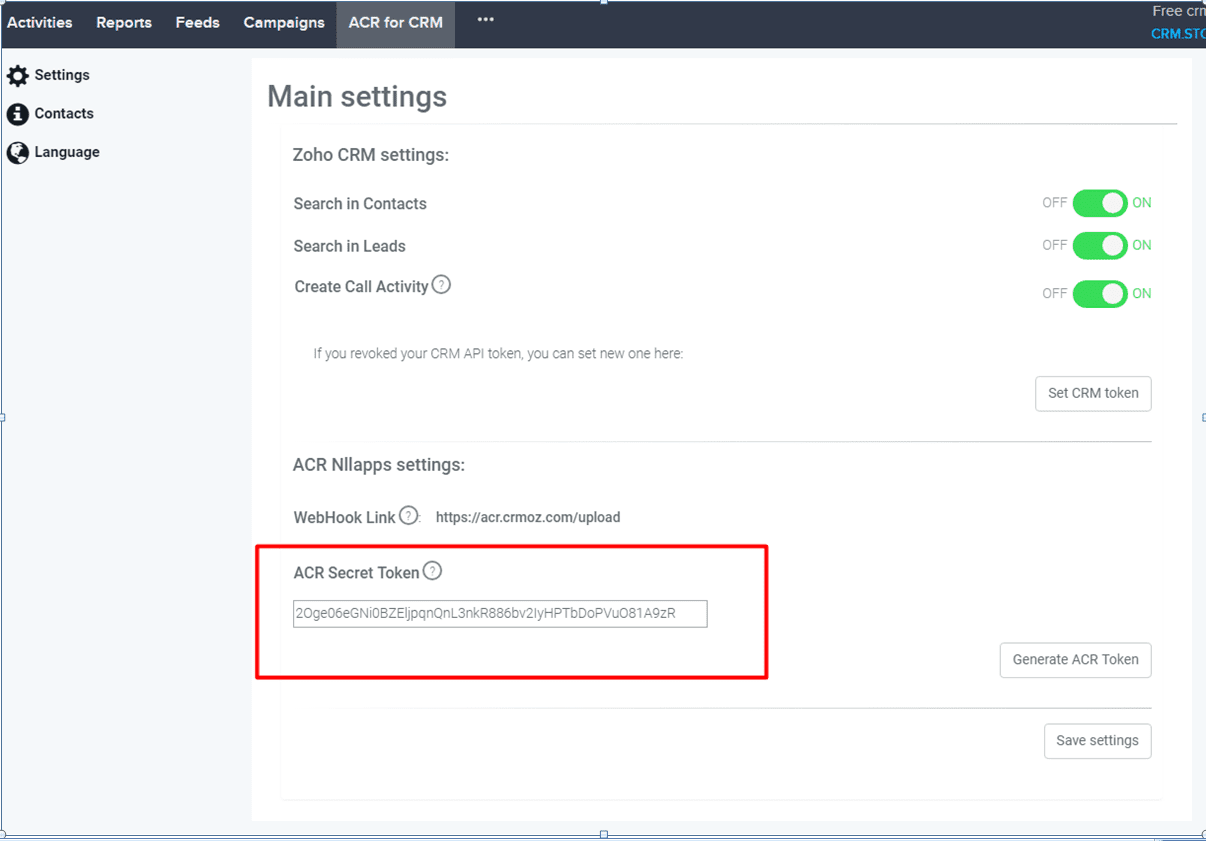
Токен авторизації — це унікальний ключ для кожного користувача, що складається з комбінації літер і цифр. Токен необхідний для автентифікації ваших облікових даних у Zoho CRM . Він використовується для інтеграції вашого облікового запису Zoho CRM із стороннім програмним забезпеченням та сервісами; наприклад, токен необхідний під час встановлення та налаштування розширень для Zoho CRM.
Як створити токен?
1. Увійдіть у свій обліковий запис Zoho.
2. Відкрийте веб-сторінку в новій вкладці браузера.
3. Натисніть кнопку «Створити авторизаційний токен».
4. Система згенерує унікальний ключ, який слугуватиме токеном авторизації.
Якщо пароль від вашого облікового запису Zoho збережено у браузері, токен буде згенеровано автоматично; в іншому разі вам доведеться ввести логін та пароль.
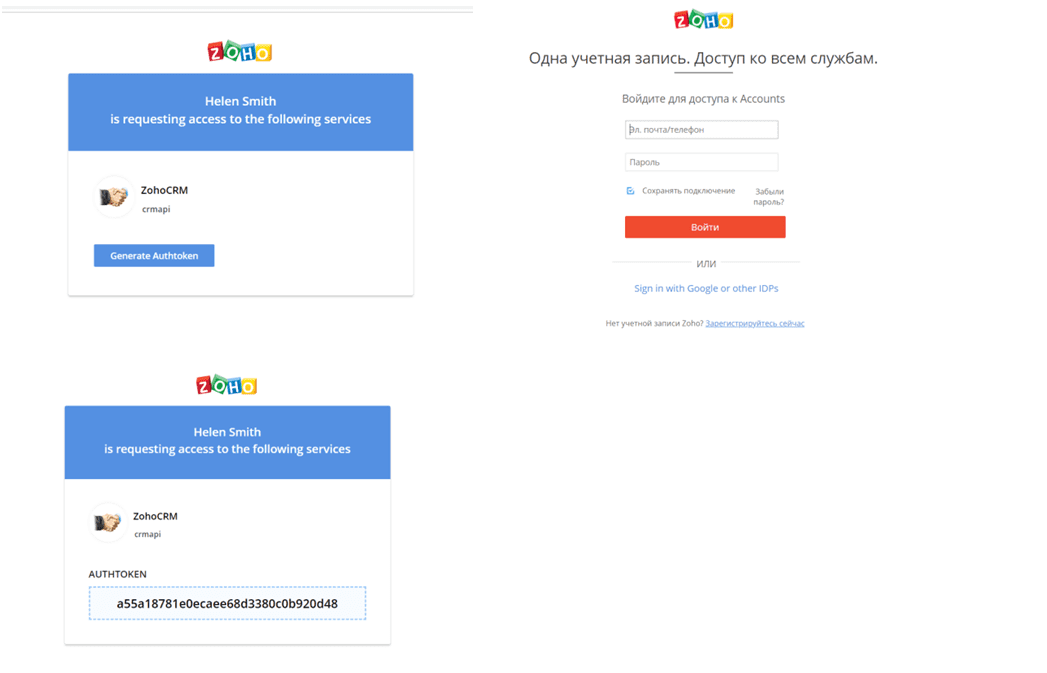
Цей ключ можна використовувати у всіх викликах функції « API ». Зверніть увагу, що згенерований токен не зберігатиметься на сторінці генерації токенів, тому ми настійно рекомендуємо його записати. Кожен ключ є унікальним і постійним. Якщо користувач перестане бути активним, токен автоматично втратить чинність.
Як керувати токенами?
Ви можете отримати доступ до токенів та ключів свого облікового запису, увійшовши у свій обліковий запис Zoho.
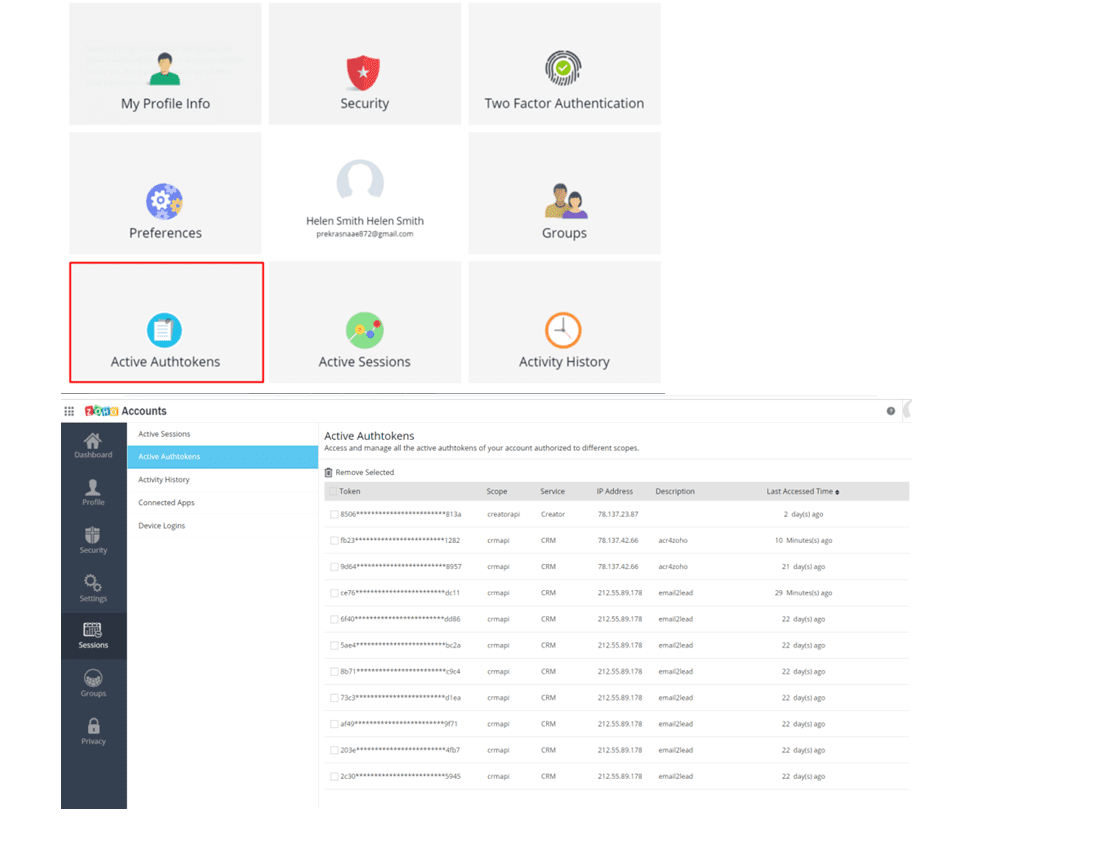
Тут ви можете переглянути інформацію про всі свої токени та видалити будь-який із них. Якщо ви видалите токен, програмне забезпечення або сервіс, що використовує цей токен, перестане працювати.
Ви можете створити кілька токенів і присвоїти кожному з них «ім’я». Це дозволяє відстежувати статистику використання запитів для зовнішніх додатків, які використовують ці токени.
Назва токена вказана у файлі « URL »:
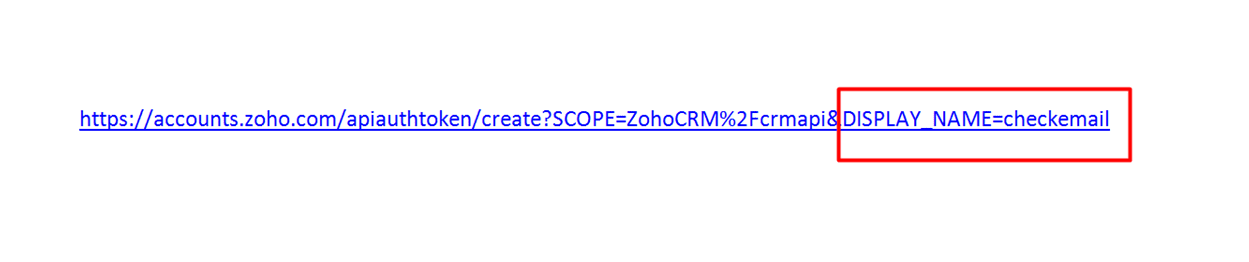
Checkemail — це назва програми, для якої генерується токен.
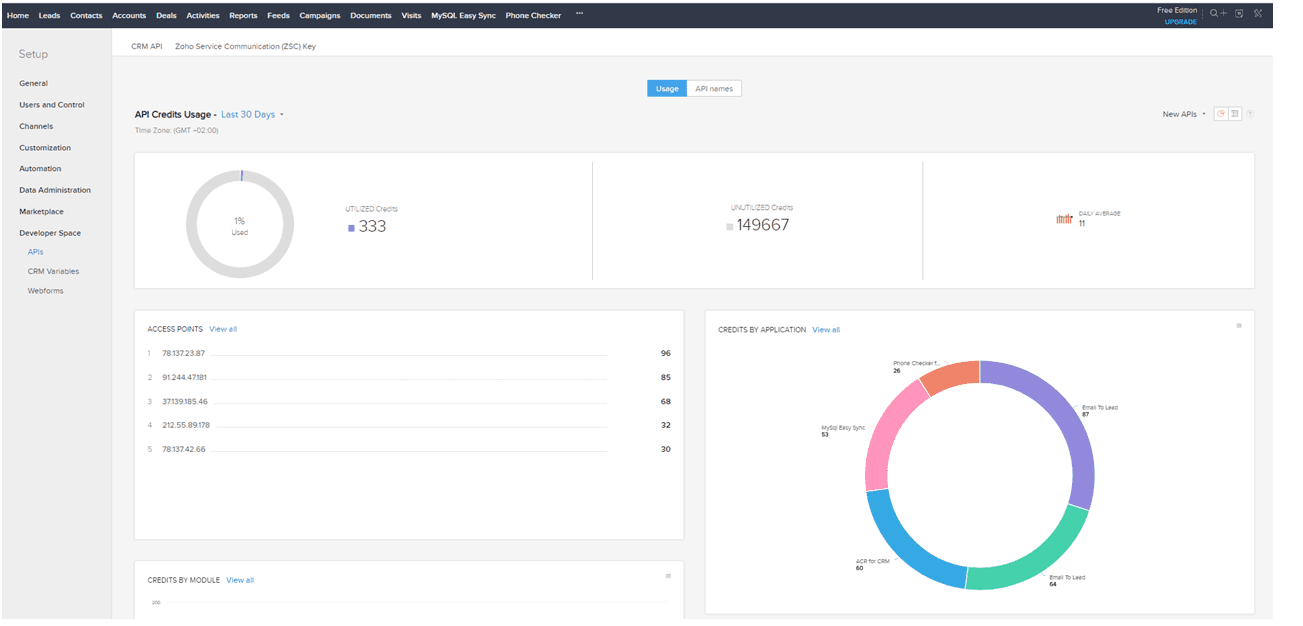
Щоб переглянути статистику в Zoho CRM, перейдіть у розділ «Налаштування» > « Developer Space » > «API». Ви можете переглянути статистику за останні 24 години, останні 7 днів, останні 30 днів або за конкретну дату.
Для кожного облікового запису Zoho встановлено обмеження на кількість генерованих токенів. Якщо ви досягли цього обмеження, видаліть один із раніше згенерованих токенів і згенеруйте новий.