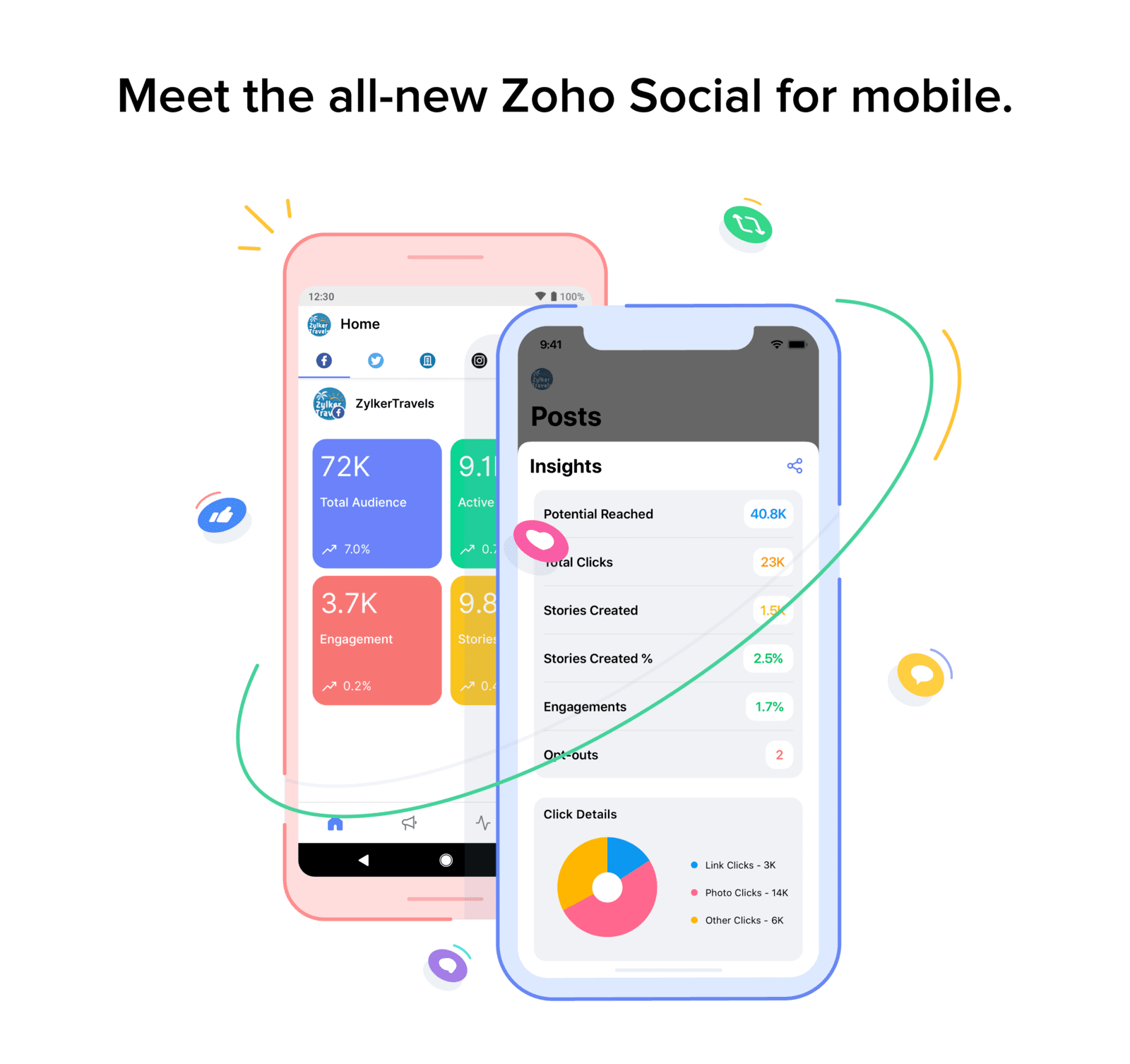
Zoho Social для смартфона

Маркетинг у соціальних мережах — це динамічний, цікавий і популярний процес. Взаємодія в соціальних мережах може тривати вдома, на роботі та навіть під час перерви на ще одну чашку кави. Рано чи пізно доводиться відповідати на повідомлення підписника або опублікувати фото. У такі моменти хочеться обмежитися кількома кліками на невеликому пристрої, і саме для цього й створено мобільний додаток « Zoho Social ».
Створюйте нові дописи та публікуйте їх тоді, коли вам зручно.
Натхнення приходить несподівано, і не лише під час роботи за комп’ютером. Найкращі ідеї спадають нам на думку під час прогулянки в парку або гри з котом.
За допомогою мобільного додатка «Zoho Social » ви можете створювати публікації, перемикатися між різними брендами, закріплювати улюблені соціальні мережі у верхній частині стрічки та багато іншого.
Запланувати публікацію
Робочий день проходить у шаленому темпі, і ми часто забуваємо виконати те, що запланували на цей день. Незалежно від того, чим ви займаєтеся, публікації мають з’являтися вчасно! Тому ви можете запланувати публікацію заздалегідь, встановити дату та час публікації, а також переглянути попередній варіант запланованого допису. Якщо ви регулярно публікуєте контент, радимо зберегти часові інтервали — тоді всі ваші дописи автоматично потраплятимуть у чергу та публікуватимуться у вказаний вами час. Якщо ви не впевнені, коли найкраще публікувати дописи, інструмент « SmartQ » покаже вам оптимальний час для цього.
Ідеальні фотографії
Припустимо, у вас є ідеальне фото для Instagram, але ви хочете додати кілька візуальних ефектів. Zoho Social пропонує функції редагування фотографій — ви можете змінити контрастність, застосувати фільтр і, звісно, не турбуватися про розмір фотографії. Коли ви завантажуєте фотографію в додаток, вона автоматично стискається відповідно до вимог соціальної мережі щодо фотографій.
Збережіть свій допис навіть без доступу до Інтернету
У наш час ніхто не може обійтися без Інтернету. Але якщо ви опинитеся високо в горах або в густих лісах і вас осяє нова ідея, якою ви хочете поділитися, сайт Zoho Social може вам у цьому допомогти. Ви можете створити чернетку публікації та зберегти її; коли ви знову підключитеся до Інтернету, зможете продовжити роботу над збереженою публікацією.
Статистика опублікованих дописів
Статистика та цифри є важливим аспектом кожного допису та невід’ємною частиною маркетингу в соціальних мережах. Важливо знати, скільки користувачів перейшли за вашим посиланням і який відсоток ваших підписників не коментує ваші дописи. Статистика допоможе вам зрозуміти, як ваша компанія працює в соціальних мережах. Інформація про кожен допис — скільки переглядів, кліків, лайків та коментарів — завжди буде у вас під рукою.
Пауза
Здавалося б, усе гаразд, і публікації регулярно з’являються у ваших соціальних мережах, але іноді трапляються збої — проблеми з сервером або з самими соціальними мережами. У такому разі ви можете призупинити всі заплановані публікації. Одним кліком ви можете їх призупинити, а коли все налагодиться — відновити публікації та продовжити їх.
Вбудований модуль для обміну контентом
Ви знайшли цікаву статтю і хочете поділитися кількома реченнями? Це дуже просто: скопіюйте потрібний фрагмент тексту та надішліть його безпосередньо на адресу Zoho Social, після чого ви зможете відредагувати допис і опублікувати його.
Ми перелічили лише основні з них; спробуйте їх і поділіться своїми враженнями у коментарях.